Subject Calibration
Subject calibration captures a neutral standing pose for each subject. This allows the SDK to scale a 3D biomechanical model to the size of the subject, which is required for biomechanical analysis.
Creating or Selecting a Subject
Each subject needs a profile before calibration. Height and weight are required — they're used directly by the analysis algorithm. Name and birth year are optional and can be left anonymous if needed.
- Swift
- TypeScript
// Create a new subject
let params = SubjectParameters(
    name: "Anonymous",       // optional
    weight: 70,              // kilograms, required
    height: 175              // centimeters, required
)
let subject = try await service.createSubject(parameters: params)

// Or select an existing subject (eg, first one of the list)
let subjects = try await service.subjectList()
let subject = subjects.first
// Create a new subject
const subject = await service.createSubject({
  name: "Anonymous",   // optional
  birthYear: null,     // optional
  height: 175,         // centimeters, required
  weight: 70           // kilograms, required
});

// Or select an existing subject (eg, first one of the list)
const subjects = await service.subjectList();
const subject = subjects[0];
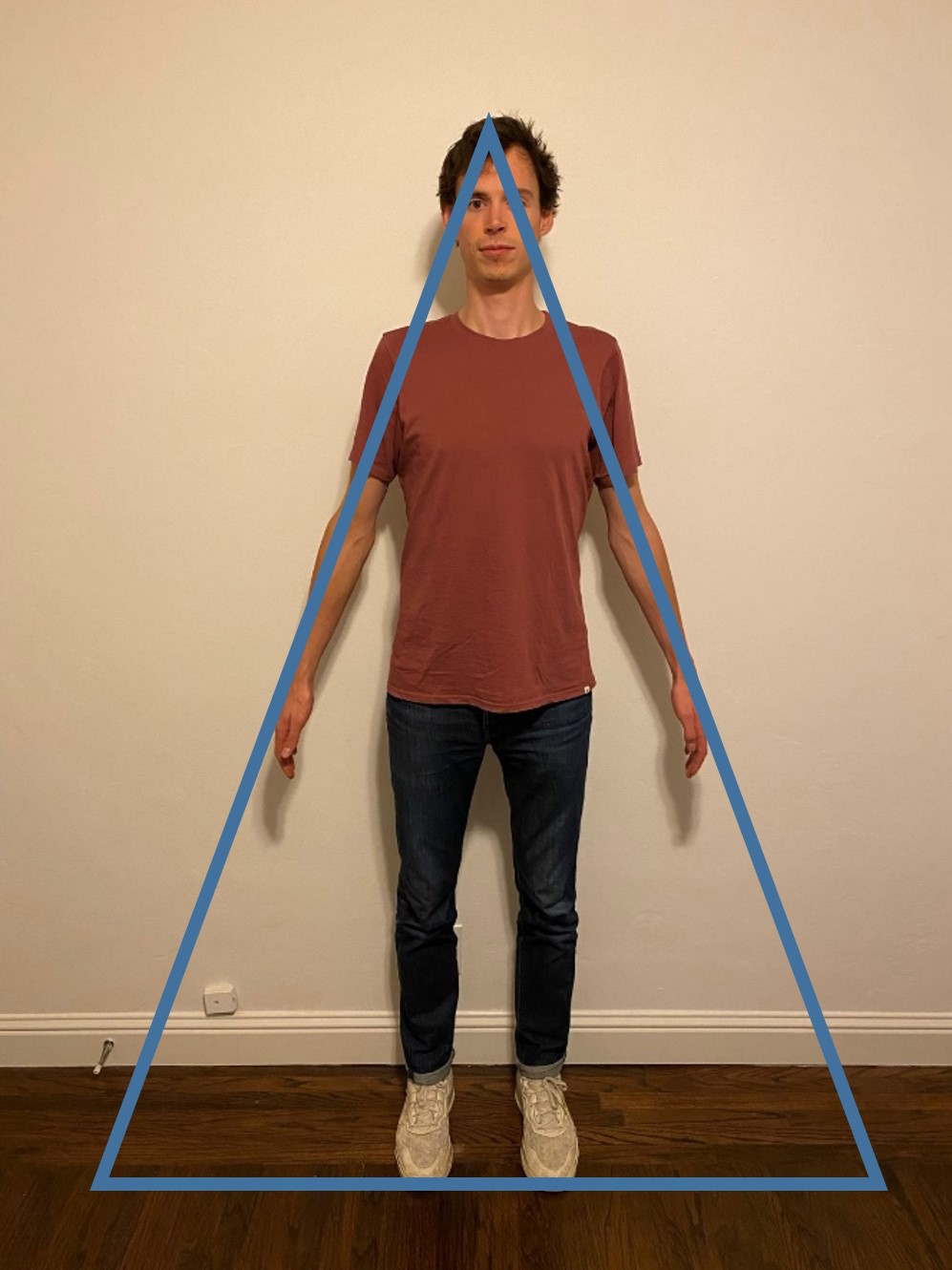
Neutral Pose Instructions
Before recording, instruct the subject to:
- Stand upright with feet pointing forward
- Keep a straight back with no bending or rotation at the hips, knees, or ankles
- Stand completely still until told they can relax
- Be fully visible by all cameras
Make sure there are no obstructions in any camera's field of view before hitting record.
Recording the Neutral Pose
- Swift
- TypeScript
try await service.calibrateSubject(subject, in: session) { status in
    switch status {
    case .recording:
        print("Recording neutral pose...")
    case .uploading(let uploaded, let total):
        print("Uploading \(uploaded)/\(total) videos")
    case .processing(let percent):
        if let percent = percent {
            print("Processing: \(percent)%")
        } else {
            print("Processing...")
        }
    case .done:
        print("Neutral pose captured!")
    }
}
await service.calibrateSubject(subject, session, (status) => {
  switch (status.type) {
    case "recording":
      console.log("Recording neutral pose...");
      break;
    case "uploading":
      console.log(`Uploading ${status.uploaded}/${status.total} videos`);
      break;
    case "processing":
      if (status.percent !== undefined) {
        console.log(`Processing: ${status.percent}%`);
      } else {
        console.log("Processing...");
      }
      break;
    case "done":
      console.log("Neutral pose captured!");
      break;
  }
});
Troubleshooting
Neutral pose capture failed:
- Subject may have moved — instruct them to stand completely still until the recording is complete
- Check that the subject is fully visible by at least 2 cameras
- Reposition cameras to capture both sides of the subject and minimize occlusion (requires recalibration of the cameras)
- If the issue persists, try recalibrating the cameras
Inaccurate limb lengths or bad kinematics in analysis:
- Subject may not have been in the correct pose — refer to the image above and repeat the neutral pose capture
- Camera calibration may be off — try recalibrating
Next Steps
Once subject calibration is complete, proceed to Activity Recording.